Image to Image AI Generator

Upload a reference image and tell AI what to change. NanoImg.io keeps the core composition, subject, and visual context while helping you restyle images, change backgrounds, edit details, create variations, and compare available image-to-image models in one workspace.

Credits required:2
Samples
Example 1
History

How to Use the Image to Image AI Generator

1

Upload Your Reference Image

Start with a photo, sketch, product image, portrait, or design reference. Image-to-image generation uses your upload as visual guidance instead of starting from a blank canvas.

2

Choose an Editing Behavior and Prompt the Change

Choose the available model behavior that fits your task, such as fast iteration, stronger reference fidelity, sharper detail, higher resolution, or repeatable seed-based output. Then describe exactly what should change and what should stay consistent.

3

Generate, Compare, and Refine

Review the result, download the image, or switch models to compare different interpretations. Adjust your prompt when you need stronger preservation, more creative variation, or cleaner details.

Keep the idea, change the image

Reference-Guided AI Image Transformation

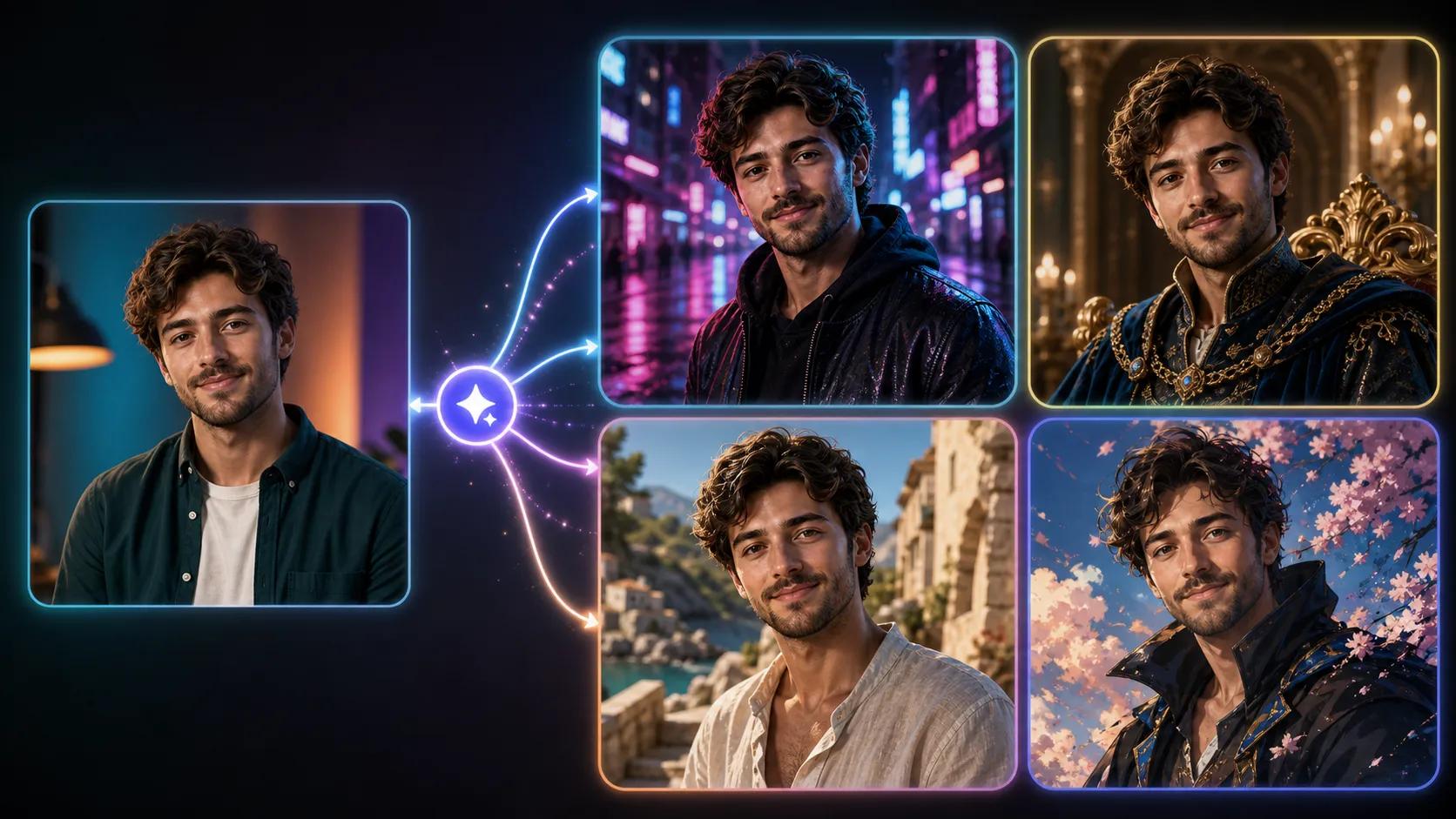
Image-to-image generation starts from your uploaded image, so the model can preserve composition, subject identity, layout, color direction, and mood while applying your prompt. It is ideal when text-to-image feels too random and you need controlled visual variation.

Image to image AI generator preview

Choose the Right Editing Behavior

NanoImg.io lets you compare available image models from one workflow. Use fast generation for quick iterations, reference-focused editing for subject fidelity, higher-quality settings for cleaner detail, and resolution or seed controls when format and repeatability matter.

Built for Restyling, Backgrounds, Objects, and Variations

Turn portraits into new styles, rebuild product scenes, modify objects, refresh social visuals, convert sketches into polished concepts, or create alternate versions from the same source image. The uploaded reference gives the AI a visual anchor for more consistent results.

Model Controls That Match the Task

Each model shows the controls it actually supports, including multi-image uploads, image size, quality, resolution, aspect ratio, and seed options. You can keep the workflow simple or fine-tune settings when you need sharper output, repeatability, or better format control.

Image to Image AI Generator FAQ

Common questions about transforming images with AI on NanoImg.io

An image to image AI generator creates a new image from an uploaded reference image and a text prompt. It uses the reference for visual guidance, then applies your requested style, background, object, scene, or detail changes.
Text-to-image starts from a prompt only, so results can vary widely. Image-to-image starts from your uploaded image, which gives the model stronger guidance over composition, subject, colors, and overall layout.
Image-to-image is designed to preserve important visual context, but the result depends on the model and prompt. For better consistency, clearly say what must stay the same, such as the person, product shape, camera angle, pose, or layout.
Choose based on the job. Use faster options for drafts, reference-focused behavior for subject fidelity, higher-quality settings for clean details, and resolution or seed controls when you need a specific format or repeatable variations.
Yes, several models support multiple reference images. Upload limits depend on the selected model, and the input panel automatically shows the supported upload behavior.
Yes, you can ask for targeted changes such as replacing a background, changing clothing, adjusting an object, restyling a portrait, or modifying lighting. Be specific about the area to change and the parts that should remain untouched.
The prompt may be asking for a large transformation, or the selected model may interpret the edit creatively. Try using more preservation language, reduce broad style changes, mention fixed details, or compare another model for a more faithful result.
Commercial use depends on the source image, your rights to the uploaded content, and the terms of the selected AI model. Only upload images you are allowed to use, and review the applicable usage rules before using outputs in commercial projects.