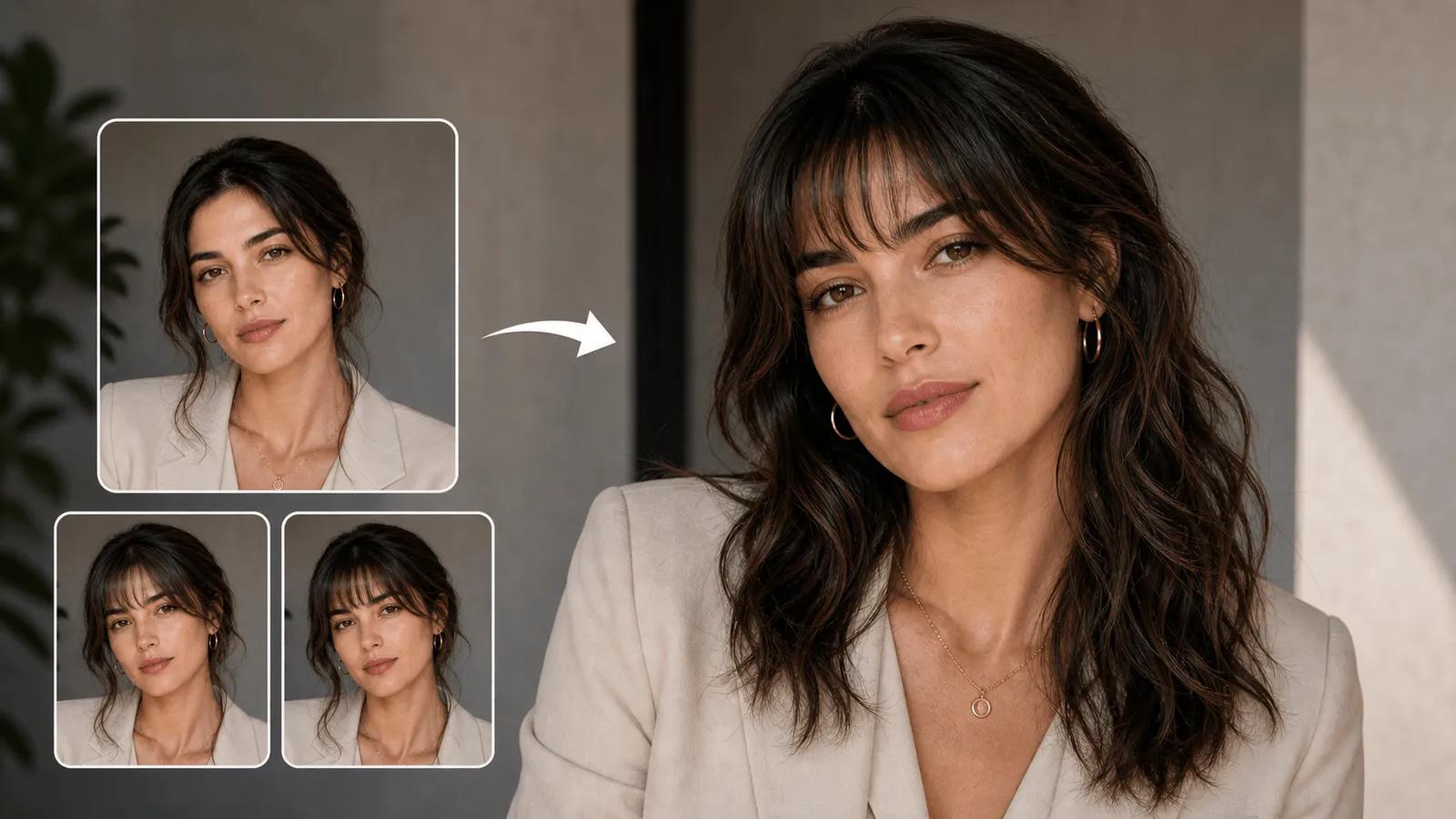
AI Bangs Filter - Virtual Bangs Try On Simulator

Try on virtual bangs with AI technology. See how curtain bangs, wispy bangs, or blunt bangs look on your face shape instantly.

Click or drag to upload images

PNG, JPG, or WEBP (max 5MB each, up to 4 images)

0/200
0/200
Samples
Example 1 - 后
Example 1 - 前
Auto
History

How to Try Virtual Bangs in 3 Easy Steps

1

Upload Photo for Virtual Bangs Try On

Upload your portrait photo to our AI bangs filter online. Clear front-facing photos work best for our hairstyle simulator to detect your face shape accurately.

2

Choose Your Bangs Style

Select from curtain bangs, wispy bangs, blunt bangs, or side-swept styles. Describe your preferred look and our bangs simulator app will create the perfect virtual bangs for your face shape.

3

Download Your Virtual Hair Try On Result

Get your transformed photo with realistic virtual bangs that match your hair color and texture. Choose from 7 aspect ratios perfect for social media profiles and headshots.

AI bangs filter that perfectly matches your facial features

Virtual Bangs Try On with Face Shape Detection

Our AI bangs filter online analyzes your face shape and automatically applies the most flattering bangs style. Whether you have round, oval, square, or heart-shaped face, our virtual hairstyle simulator recommends curtain bangs, wispy bangs, or blunt bangs that enhance your natural beauty. Try other hairstyles with ai-hairstyle-changer or explore trendy looks like bob-haircut and curly-hair-filter.

AI face shape detection for virtual bangs try on

Try different virtual bangs styles with one AI hairstyle changer

Multiple Bangs Styles - From Curtain to Wispy Bangs

Experience various bangs styles with our bangs simulator app. Create curtain bangs for a soft romantic look, wispy bangs for delicate framing, side-swept bangs for elegance, or blunt bangs for bold statements. Each virtual bangs try on adapts to your hair texture and color seamlessly.

Generate social media-ready photos with perfect virtual hair try on

Professional Hairstyle Simulator Results

Get professional-quality results with 7 aspect ratios perfect for Instagram, LinkedIn, and dating apps. Our AI hairstyle changer creates realistic virtual bangs that look naturally integrated, helping you decide on your next salon visit with confidence.

AI Bangs Filter FAQ - Virtual Bangs Try On Questions

Everything you need to know about using our virtual hairstyle simulator

An AI bangs filter is a virtual hairstyle simulator that uses face detection technology to add realistic bangs to your photos. Our bangs simulator app analyzes your face shape and applies curtain bangs, wispy bangs, or blunt bangs that naturally blend with your hair.
Our AI bangs filter online recommends styles based on your face shape: oval faces suit most bangs, round faces look great with side-swept bangs, square faces shine with wispy bangs, and heart-shaped faces pair well with curtain bangs for perfect facial framing.
Yes! Our virtual bangs try on supports all popular styles including curtain bangs for soft framing, wispy bangs for delicate looks, blunt bangs for bold statements, side-swept bangs for elegance, and choppy bangs for edgy vibes.
Our AI hairstyle changer creates highly realistic results by matching your hair color, texture, and lighting. The virtual bangs blend seamlessly with your existing hairstyle, giving you an accurate preview of how you'd look with real bangs.
Our virtual bangs try on lets you experiment risk-free before visiting a salon. You can test multiple bangs styles, see how they complement your face shape, and make confident decisions about your hairstyle without commitment.
Our hairstyle simulator supports JPEG, PNG, and WebP formats up to 5MB each. Upload clear, front-facing photos for best virtual bangs try on results across 7 aspect ratios perfect for social media.
Virtual bangs try on costs 2 credits per generation on NanoImg.io. This includes AI-powered face shape analysis, realistic bangs application, and professional-quality results in multiple aspect ratios.

Need help with virtual bangs try on? Contact NanoImg.io support