AI Image Combiner

Combine multiple images into stunning artwork with AI. Merge 2-4 photos seamlessly with intelligent blending technology.

Click or drag to upload images

JPEG, PNG, WebP (max 5MB each, up to 4 images)

0/150
Samples
Example 1 - 后
Example 1 - 前
Auto
History

How to Use AI Image Combiner

1

Upload Your Images

Select 2-4 images you want to combine using NanoImg's AI Image Combiner interface. The tool accepts JPEG, PNG, and WebP formats up to 5MB each for optimal processing quality.

2

Add Creative Instructions

Optionally describe how you want the AI Image Combiner to blend your photos. You can specify artistic styles, blending preferences, or let the AI automatically create the best combination.

3

Generate Combined Artwork

Click generate and watch as the AI Image Combiner processes your images using advanced algorithms. Your combined masterpiece will be ready in seconds with professional-quality results.

Seamless AI Image Combination

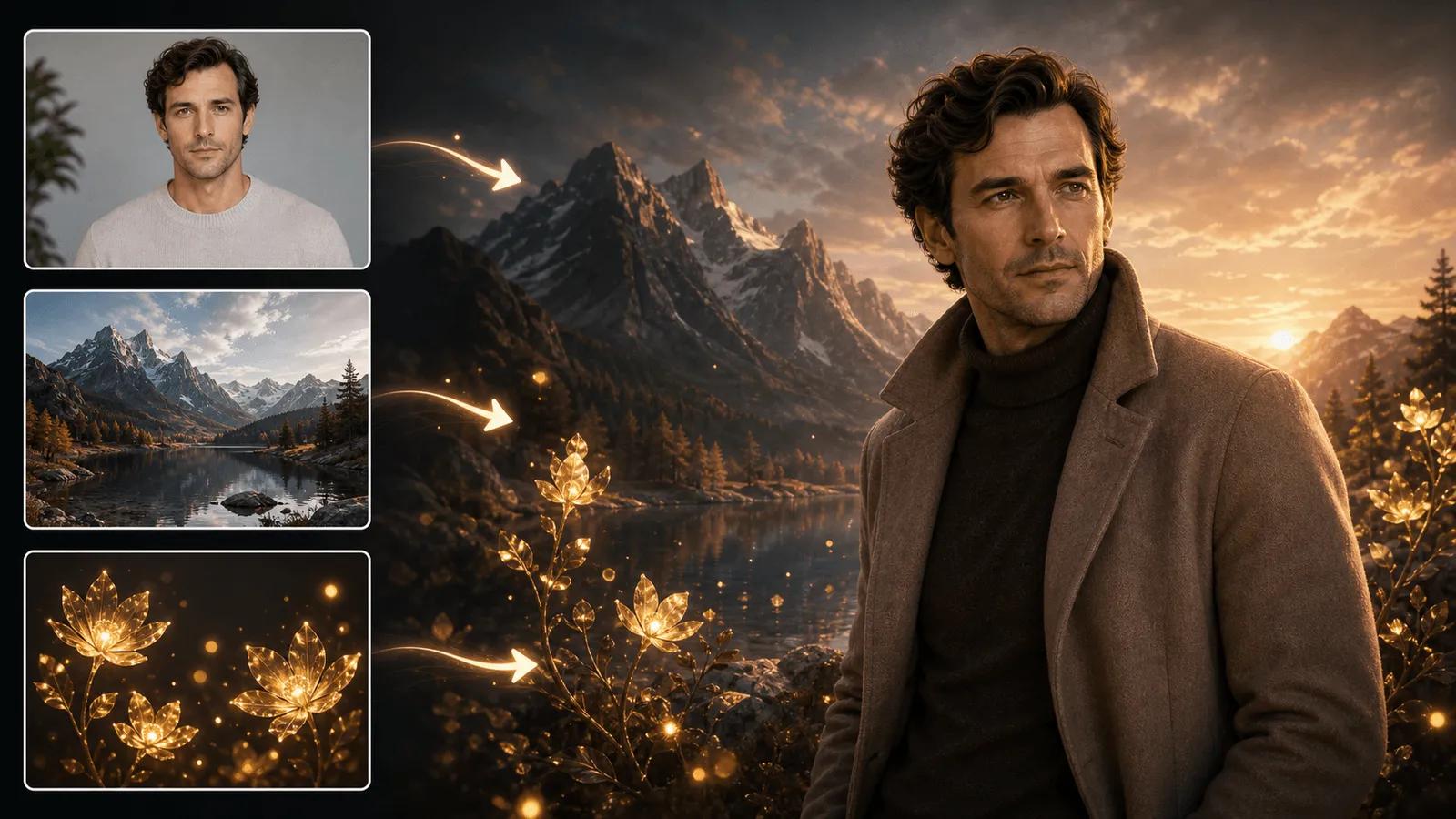
NanoImg's AI Image Combiner uses advanced machine learning algorithms to intelligently merge 2-4 images into cohesive artistic masterpieces. The AI analyzes colors, lighting, and composition to create natural-looking blends that maintain visual harmony across all combined elements. Perfect for creative projects alongside face morph or AI replace tools.

AI Image Combiner seamlessly blending multiple photos

Smart Blending Technology

Experience intelligent image fusion with NanoImg's AI Image Combiner that automatically handles texture transfer, style blending, and compositional balance. The system processes each image's unique characteristics and combines them using sophisticated diffusion models for professional-quality results. Enhance combined images with recolor image or color correction adjustments.

Creative Control & Customization

Guide your AI Image Combiner results with optional text prompts and creative instructions. Whether you want artistic fusion, photorealistic merging, or abstract combinations, NanoImg's tool adapts to your vision while maintaining the natural flow between combined image elements.

FAQs About AI Image Combiner

Common questions about NanoImg's comprehensive AI creative platform

AI Image Combiner is an advanced tool that uses artificial intelligence to merge multiple images into a single cohesive artwork. It analyzes colors, lighting, textures, and composition to create seamless blends between 2-4 uploaded images, producing professional-quality artistic fusions.
The AI Image Combiner uses sophisticated machine learning algorithms and diffusion models to analyze your uploaded images. It identifies key elements like colors, shapes, and lighting, then intelligently blends them together using advanced computer vision techniques to create harmonious combined artwork.
NanoImg's AI Image Combiner supports combining 2-4 images simultaneously. This range provides optimal balance between creative flexibility and processing quality, ensuring your combined images maintain visual coherence and artistic appeal.
AI Image Combiner is perfect for creating unique artwork, social media content, marketing materials, profile pictures, album covers, digital art projects, website banners, and creative photo compositions. You can merge portraits with landscapes, combine different scenes, create surreal art pieces, or blend product photos for e-commerce. It's ideal for content creators, designers, marketers, and anyone wanting to create eye-catching visual content.
Yes, you can guide the AI Image Combiner with optional text instructions describing your desired blending style. Whether you want artistic fusion, photorealistic merging, or specific creative effects, the AI adapts to your preferences while maintaining natural image harmony.
The AI Image Combiner operates on a credit-based system requiring 2 credits per generation. New users receive 5 free generations to try the service. Processing typically takes around 10 seconds, and additional credits can be purchased for continued use of the AI Image Combiner's advanced blending capabilities.

Need additional help with AI Image Combiner? Contact our support team