Flux Kontext AI Image Editor - Advanced Context-Aware Editing

Edit images with precision using FLUX.1 Kontext AI. Context-aware editing that preserves character consistency.

Credits required:5
Samples
Example 1
History

How to Use Flux Kontext AI - Simple Steps to Perfect Edits

1

Upload Source Image

Upload your image (JPEG, PNG, WebP up to 10MB) or start without an image for text-to-image generation.

2

Write Edit Instructions

Describe your desired changes using natural language. Be specific about what to change and what to preserve for best results.

3

Choose Model & Settings

Select Flux Kontext Pro (10 credits) or Max (20 credits), set aspect ratio, and configure advanced options like seed.

4

Generate & Iterate

Get your edited image in 6-12 seconds. Use output as input for iterative improvements and refinements.

Revolutionary Context-Aware Image Editing

What is Flux Kontext AI Image Editor?

FLUX.1 Kontext is a revolutionary 12-billion parameter AI model that specializes in context-aware image editing. Unlike traditional text-to-image generators, Flux Kontext understands existing images and modifies them through simple text instructions - enabling instant editing without complex workflows. Experience the future of AI image manipulation with NanoImg.io's Flux Kontext image editor. Also try Nano Banana, GPT Image 1, or Seedream 4.0.

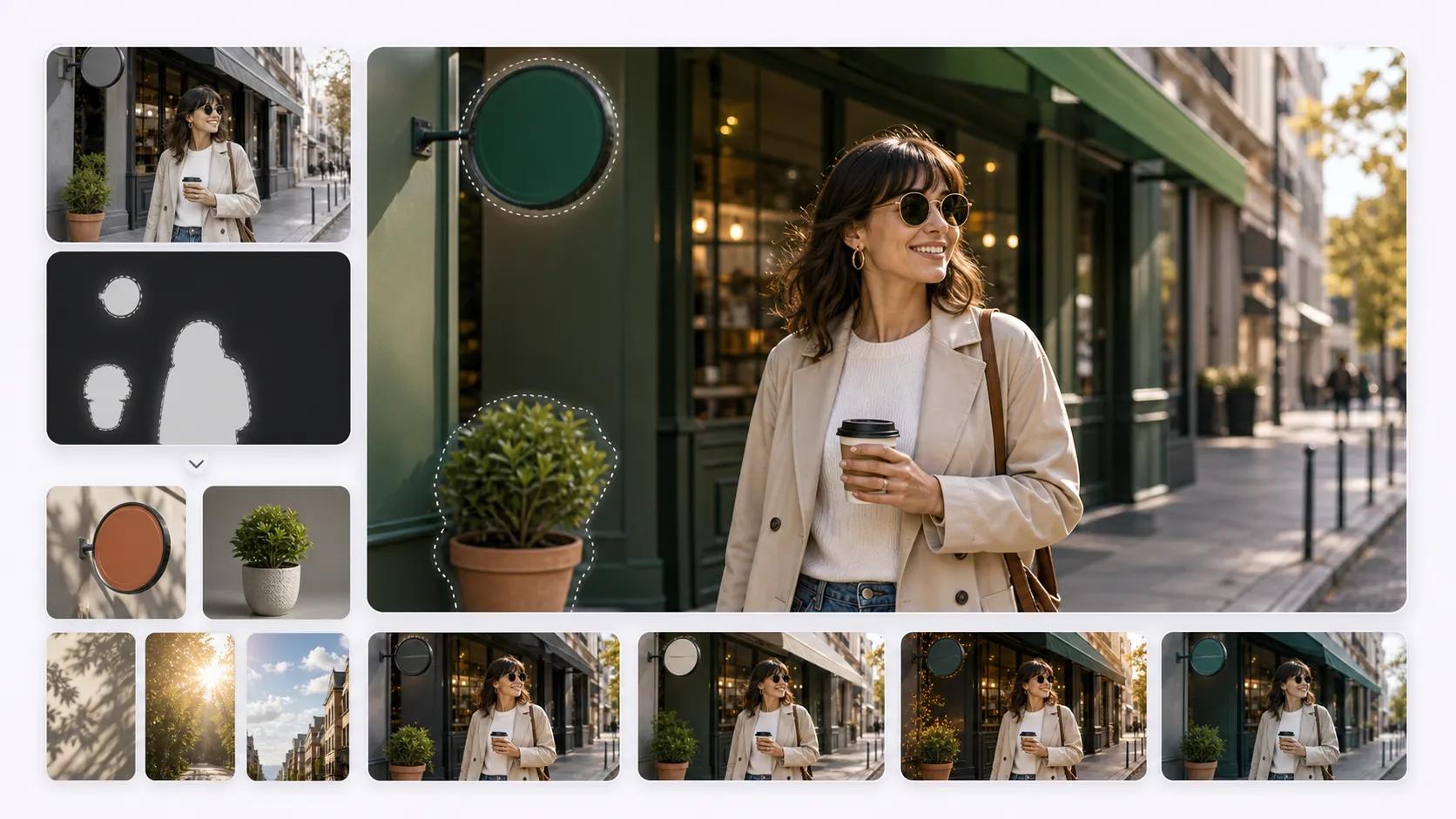
Flux Kontext AI context-aware image editing technology

Precision Editing with Character Consistency

Key Features of Flux Kontext AI

Context-Aware Editing: Understands image content and makes precise modifications

Character Consistency: Maintains facial features and identity across edits

Local Editing: Modify specific regions without affecting surrounding areas

Style Preservation: Keep artistic style while changing content

Text Manipulation: Edit text within images seamlessly

Fast Processing: Results in just 6-12 seconds

Pro & Max Models: Choose between performance and quality

From Creative Projects to Business Applications

Professional Flux Kontext Use Cases

Professional Applications: Product visualization and mockups, brand asset adaptation across media, quick color and style modifications, photo restoration and enhancement, AI headshot generation.

Creative Applications: Concept art and storyboarding, comic and animation consistency, background replacement, style transfer and artistic effects, social media content creation.

Flux Kontext AI FAQ

Everything about NanoImg.io's Flux Kontext context-aware image editor

Flux Kontext uses context-aware AI that understands existing images and makes precise edits while preserving important details. It maintains character consistency and allows local editing without affecting surrounding areas, making it superior for professional image manipulation with NanoImg.io.
Flux Kontext Pro (10 credits) offers excellent performance and speed for most editing tasks. Flux Kontext Max (20 credits) provides maximum output quality and enhanced detail preservation for professional-grade results.
Yes! Flux Kontext excels at text manipulation within images. Use prompts like "Replace 'OLD TEXT' with 'NEW TEXT'" or "Change the sign text to 'WELCOME'" for seamless text edits that blend naturally with the image.
Flux Kontext automatically preserves character features and identity. For best results, use specific preservation instructions like "while keeping the person's exact facial features and expression" in your prompts.
Flux Kontext supports JPEG, PNG, and WebP image formats with a maximum file size of 10MB. The AI works best with clear, high-resolution source images for optimal editing results.
Flux Kontext delivers results in just 6-12 seconds per edit, keeping you in the creative flow. This speed advantage makes it perfect for rapid iteration and professional workflows at NanoImg.io.
Yes, images generated with NanoImg.io's Flux Kontext can be used for commercial purposes. Check our terms of service for specific licensing details and usage guidelines.
Absolutely! Flux Kontext can generate images from text prompts alone. Upload an image for editing existing content, or start with just a text prompt for original image generation using our advanced AI model.

Need help with Flux Kontext AI? Contact NanoImg.io Support