Buzz Cut Filter

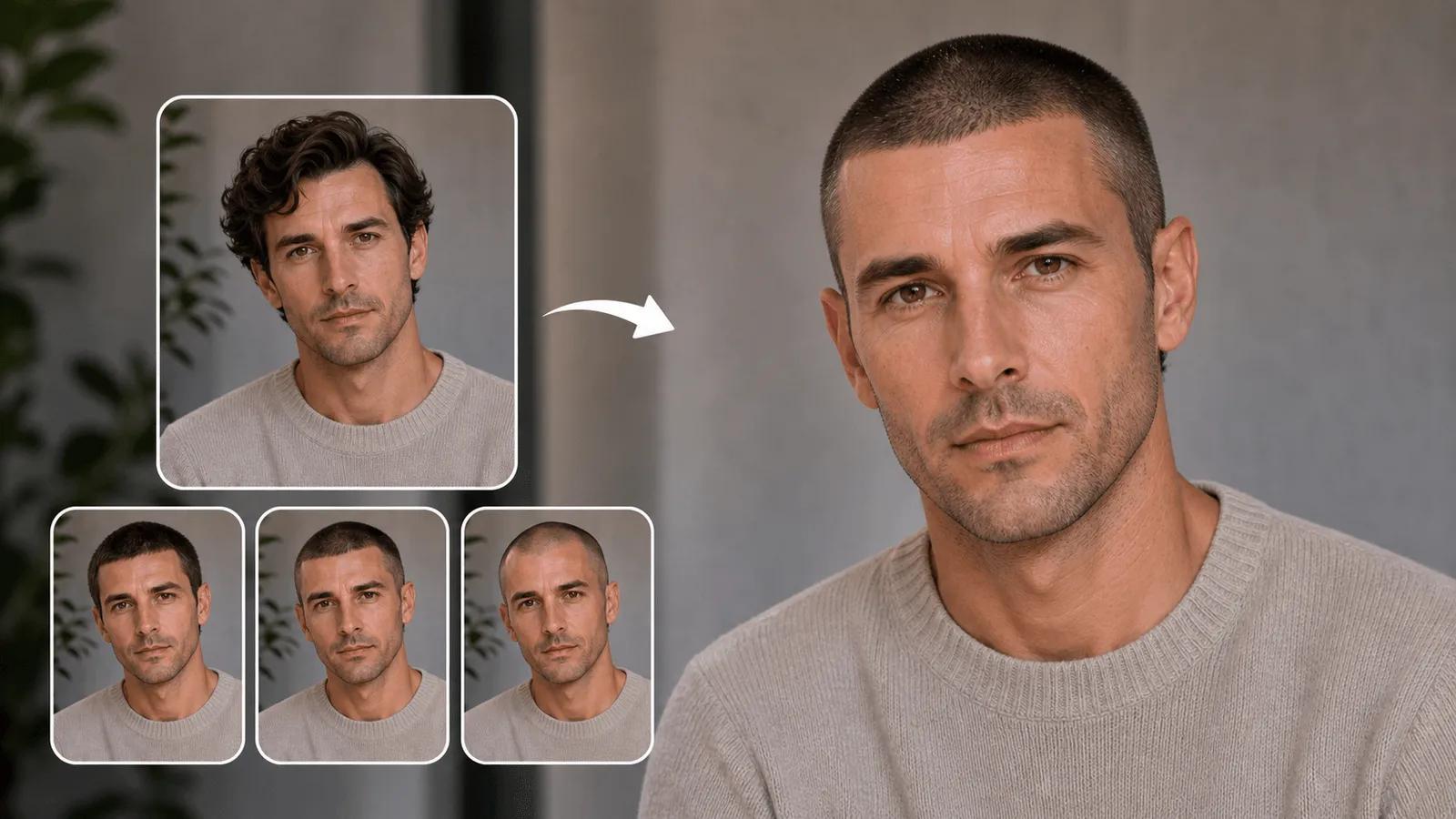
Preview buzz cut hairstyles instantly with AI. See how short haircuts will look before cutting your hair.

Click or drag to upload images

JPEG, PNG, WebP (max 5MB each, up to 4 images)

0/100
Samples
Example 1 - 后
Example 1 - 前
Auto
History

How to Use Buzz Cut Filter

1

Upload Your Photo

Upload a clear, front-facing photo showing your head and current hairstyle. The Buzz Cut Filter works best with well-lit photos taken straight-on for accurate hair detection and processing.

2

Customize Your Buzz Cut Style

Choose your preferred buzz cut length and style, or add optional descriptions for specific looks. The Buzz Cut Filter offers various options from short military cuts to longer buzz cuts with fades.

3

Get Your Buzz Cut Preview

NanoImg's AI processes your photo and applies the Buzz Cut Filter to show you realistic results. Download your preview or share it to see how the buzz cut looks before making your decision.

Realistic AI-Powered Buzz Cut Preview

NanoImg's Buzz Cut Filter uses advanced AI to create highly realistic previews based on your facial features and hairline. See exactly how a buzz cut will look on you with precision that considers your unique head shape, skin tone, and existing hairline for the most accurate simulation possible. Explore more styles with AI hairstyle changer, crew cut filter, or bald filter options.

AI buzz cut filter showing realistic preview

Multiple Buzz Cut Styles and Lengths

Experiment with various buzz cut styles and lengths using NanoImg's Buzz Cut Filter. From classic military-style cuts to modern fades, customize your buzz cut preview with different guard lengths and styling options to find the perfect look that suits your face shape and personal style. Try bob haircut or curly hair filter for completely different looks.

Instant Results with Professional Quality

Get professional-quality buzz cut previews in seconds. Our Buzz Cut Filter delivers high-resolution results that look natural and realistic, helping you make confident decisions about your hairstyle change without the commitment or expense of visiting a barber first.

FAQs About Buzz Cut Filter

Common questions about NanoImg's comprehensive AI creative platform

Buzz Cut Filter is an AI-powered tool that allows you to virtually try on a buzz cut hairstyle using your own photo. It creates realistic previews of how you would look with a buzz cut before you make the actual haircut, helping you visualize the change and make confident styling decisions.
The Buzz Cut Filter uses advanced AI algorithms to detect your facial features, analyze your hairline and head shape, then digitally applies a buzz cut hairstyle to your photo. The AI considers factors like your skin tone and facial structure to create the most realistic and natural-looking buzz cut preview possible.
Yes! Our Buzz Cut Filter offers multiple length options and styles. You can experiment with different buzz cut variations, from very short military-style cuts to longer buzz cuts with fades. Simply describe your preferred style or choose from available preset options.
The Buzz Cut Filter provides highly realistic results for most users. The accuracy depends on photo quality, lighting, and angle. For best results, use a clear, front-facing photo with good lighting. While the filter is very accurate, actual results may vary slightly based on individual hair texture and growth patterns.
For optimal Buzz Cut Filter results, upload a clear, front-facing photo in JPEG, PNG, or WebP format (max 5MB). The photo should show your head and current hairstyle clearly with good lighting. You can upload up to 4 images to try the buzz cut filter on different angles or photos.
The Buzz Cut Filter requires 2 credits per use. You can purchase credits through our pricing plans or try it as part of your free credits if available. The tool provides professional-quality results instantly, making it a cost-effective way to preview your buzz cut before visiting a barber.

Need additional help with Buzz Cut Filter? Contact our support team